Gumvexora's interface capabilities, explained in detail
Each capability described on this page reflects an actual function of the Gumvexora review environment. Read through to understand how the interface supports deliberate, structured examination of organised information.
Built around the act of informed examination
Gumvexora's interface does not attempt to anticipate what a user is looking for and surface it automatically. Instead, it gives users the controls and orientation they need to move through organised information at their own pace and according to their own review logic.
This approach reflects a deliberate choice: the platform treats users as people who already know what kind of information they are looking for and who need a well-organised environment in which to find and examine it — not a system that makes assumptions about intent on their behalf.
The following capabilities each support a specific aspect of this review-oriented approach.
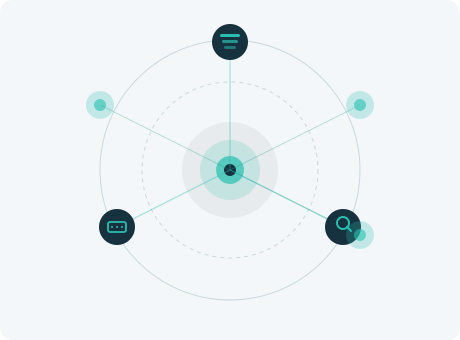
What the review environment makes possible
Tiered information navigation
The platform presents information in a hierarchy of tiers, from broad category views down to individual records. Users can descend through the hierarchy by selecting a category or subcategory, and can return to any prior level using the interface's breadcrumb trail. This structure ensures that context is never lost as a user narrows their review to more specific material.
Inline contextual annotations
Each record in the platform may include one or more contextual annotations, displayed adjacent to the record's main content. Annotations describe the classification date, the data source, and any known gaps or caveats associated with the entry. Users can expand or collapse annotations to keep the primary record view uncluttered.
Cross-category reference traversal
Where records in one category are related to records in another, the platform displays links that allow users to move between them without returning to the top-level navigation. Related items are identified during the classification process and their connections are maintained as the underlying information is updated. Users can choose to follow a reference or stay in their current category.
Session-level review trail
The interface maintains a record of the path a user has followed within the current session. This trail is visible in a side panel and allows users to retrace their steps, compare items they viewed earlier, or return to a point of interest without renavigating the full hierarchy. The trail is cleared when the session ends and is not stored beyond that point.
Category summary displays
Before entering any category, users see a summary that describes what the category contains, how many records it holds, and when the most recent classification event in that area was completed. This summary helps users assess whether a category is relevant to their review before committing to navigating its contents.
Guided access and support routing
When a user encounters a gap in the available information — a record they expected to find but could not locate, or a category that appears incomplete — the interface provides a direct route to submit a support query. Queries are categorised automatically based on the user's position in the platform and routed to the appropriate member of the support team for review.
How access to the review environment is arranged
Access to Gumvexora is not automatic. The following steps describe how a prospective user moves from initial interest to active use of the platform. The team may request clarification at any stage; timelines are not guaranteed.
01
Review this page and the service scope
Read both the features description and the service scope page so you have an accurate picture of what the platform contains before you submit a request.
02
Complete the enquiry form
Use the contact form on the Connect page to describe your area of interest and the nature of your access request. Specificity at this stage reduces the likelihood of clarifying questions.
03
Await team response
The support team will review your enquiry and respond with information about whether access can be arranged, what additional information may be required, and what the next step involves.
04
Access the environment
Once your enquiry has been reviewed and the team has confirmed the arrangement, you will receive the information you need to begin using the platform within the scope confirmed in the response.
Questions about a specific feature or capability?
The support team can provide more detail on any of the capabilities described above, or help you assess whether the platform suits your review needs.